


Supplement Facts is the FDA nutrition-label format generally required for dietary supplements. To plan one on a custom pouch, confirm the product is a supplement, get final reviewed label content, place the panel at full size on your pouch dieline before anything else and proof the complete package at print size. This guide from Custom Printed Pouches (CPP) walks through each step and includes a free fillable PDF and Word planning worksheet.
Updated October 13, 2026
Download the free Supplement Facts planning worksheet
The three-page worksheet gives your designer and your label reviewer one shared record before artwork starts. It covers:
- Product and serving information, including the classification decision
- Ingredient and package-copy notes for the panel and surrounding statements
- Pouch details: format, size, features and dieline version
- A preflight checklist and reviewer records so every check has an owner
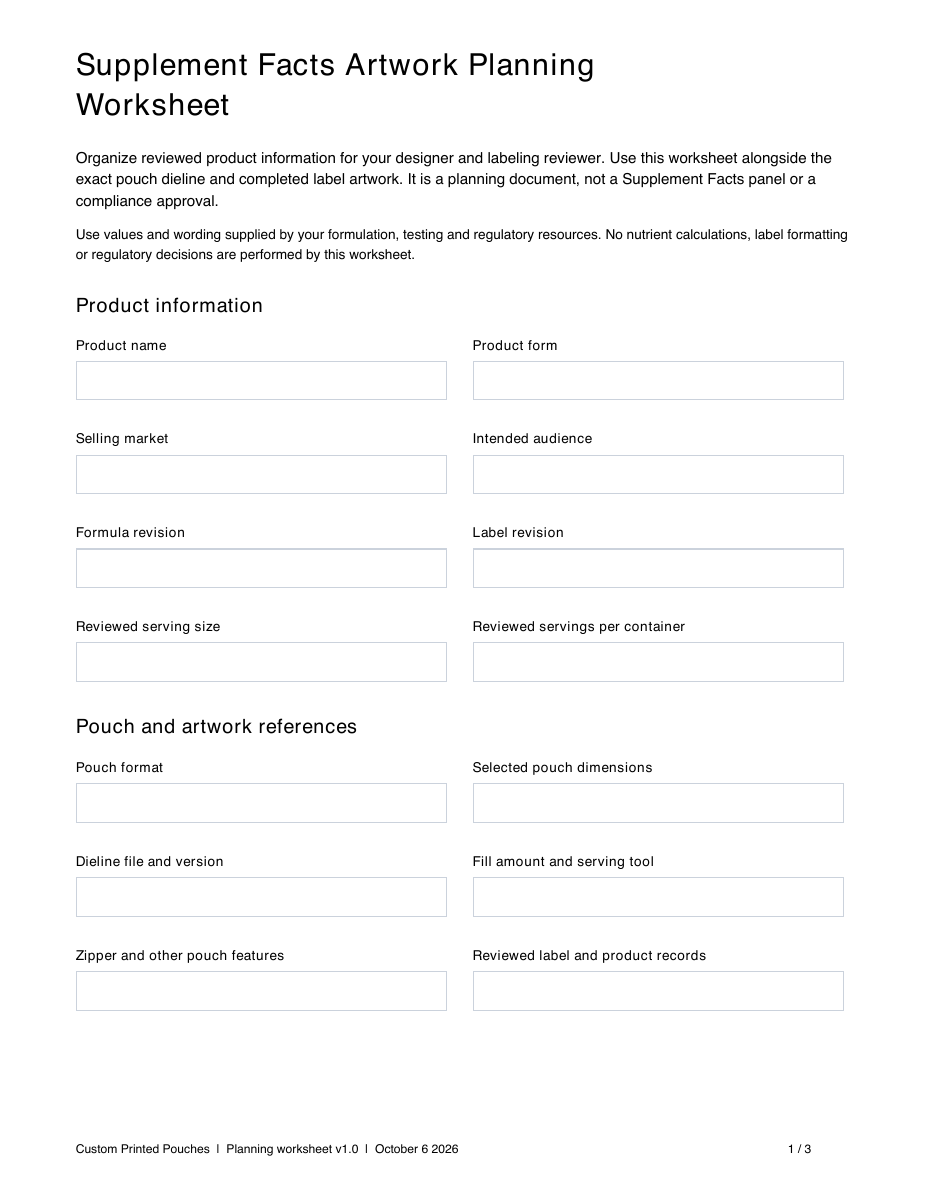
Fillable PDF
Type short notes into the form fields, check off resolved items and print a copy for project meetings. For fillable fields, open it in Adobe Acrobat Reader or another form-capable PDF app; some browser and phone viewers can’t fill forms.
Editable Word file
Choose the Word version when you need longer notes, more than six ingredient rows or extra room for reviewer comments. It opens in Microsoft Word, Google Docs and other compatible editors.
Worksheet v1.0 · October 6, 2026. The worksheet is your label brief, not production artwork.
What is the difference between Supplement Facts and Nutrition Facts?
Supplement Facts is the panel for dietary supplements, governed by 21 CFR 101.36. Nutrition Facts is the panel for conventional foods and beverages, governed by 21 CFR 101.9. The formats differ: a Supplement Facts panel can list dietary ingredients that have no established Daily Value, must name the plant part used for botanicals and can declare blends by total weight. Renaming a Nutrition Facts panel doesn’t turn it into a Supplement Facts panel.
Dietary supplement
Use a Supplement Facts panel. Get reviewed panel content and the surrounding package copy before design starts. FDA explains the format in its supplement nutrition-labeling guidance.
Conventional food or beverage
Use a Nutrition Facts panel. CPP’s free Nutrition Facts label generator formats nutrition information you supply so you can review it.
Classification depends on intended use, presentation and labeling, not physical form. A greens powder, gummy or drink mix could fall on either side, so settle the classification with your reviewer before layout starts.
What goes on a Supplement Facts panel?
21 CFR 101.36 sets the panel’s content and format. In plain terms, it covers:
- Title: “Supplement Facts,” in bold and larger than all other type inside the Supplement Facts panel.
- Serving information: serving size in a unit that suits the form (scoops, capsules, gummies) and servings per container.
- Ingredients with Daily Values: listed in a fixed regulatory order with the amount per serving and % Daily Value.
- Ingredients without Daily Values: listed below them by common name, with a symbol linking to “Daily Value not established.”
- Botanicals: the part of the plant used, such as leaf or root.
- Proprietary blends: the total weight of ingredients without Daily Values, with those components listed in descending order by weight. Ingredients with Daily Values are declared individually.
- Source ingredients: shown in the panel (for example, “as ascorbic acid”) or in the ingredient list directly below it.
- Type and format rules: minimum type sizes, hairline rules and permitted alternative layouts.

Minimum type sizes limit how small the panel can go
The regulation generally requires at least 8-point type in the panel, with 6 point allowed for column headings and footnotes. Smaller minimums are permitted on packages with limited labeling area, using thresholds of 12 and 40 square inches. The rule also allows space-saving layouts, such as a split panel or dotted lines in place of hairlines, under defined conditions. Your labeling reviewer decides which provisions apply. A pouch’s listed dimensions are not the same measure as its available labeling area.
What else must a supplement pouch label include?
The Supplement Facts panel is one part of the label. Reserve space for these elements at the same time:
| Label element | Where it usually goes | Rule |
|---|---|---|
| Product name identified as a dietary supplement (for example, “Greens Dietary Supplement”) | Front (principal display panel) | 21 CFR 101.3 |
| Net quantity of contents | Front, generally within the bottom 30% | 21 CFR 101.105 |
| Supplement Facts panel | Front or information panel | 21 CFR 101.36 |
| Ingredient list (“Other ingredients”) | Directly below the panel, or immediately to its right if space is limited | 21 CFR 101.4, 101.36 |
| Name and place of business of the manufacturer, packer or distributor | Front or information panel | 21 CFR 101.5 |
| Domestic address or phone number for adverse event reports | On the label | FD&C Act section 403(y) |
| Structure/function claim disclaimer, if the label makes such claims | Next to the claim or linked by a symbol, on each panel that carries a claim | 21 CFR 101.93 |
| Major food allergen declaration, if applicable | In ingredient labeling or a “Contains” statement, as applicable | FALCPA, as amended by the FASTER Act |
| Directions and warnings | As your reviewer specifies | Product-specific |
The information panel is the panel immediately to the right of the front panel under 21 CFR 101.2. On a two-sided pouch, the back panel usually serves that role; confirm the layout with your reviewer.
How much space does a Supplement Facts panel need on a pouch?
There’s no single size. The space depends on how many ingredients you declare, the format your reviewer approves and the minimum type sizes for your package. A single-ingredient panel needs far less room than a greens blend with 20 components and a long ingredient list. Lay out the reviewed panel at 100% before you commit to a pouch size.
CPP supplement pouch sizes at a glance
Listed dimensions from the CPP supplement pouch configurator. Seals, the zipper, tear notches, hang holes and the bottom gusset reduce the printable area, so use the matching dieline for exact placement.
Stand-up pouch sizes (12)
| Size code | Format | Listed size (W × H × gusset, in) | Listed face area (sq in) |
|---|---|---|---|
| S1 | Stand-up | 3.25 × 4.75 × 2 | 15.4 |
| S2 | Stand-up | 4.375 × 6 × 2 | 26.3 |
| S3 | Stand-up | 5 × 6.5 × 2.5 | 32.5 |
| S4 | Stand-up | 5 × 7 × 3 | 35 |
| S5 | Stand-up | 5.75 × 7.5 × 2.5 | 43.1 |
| S6 | Stand-up | 6.5 × 8 × 2.5 | 52 |
| S7 | Stand-up | 6.75 × 8.5 × 3.5 | 57.4 |
| S8 | Stand-up | 7 × 9 × 3 | 63 |
| S9 | Stand-up | 7.25 × 6 × 2 | 43.5 |
| S10 | Stand-up | 8.125 × 10 × 3.5 | 81.3 |
| S11 | Stand-up | 9.875 × 10.5 × 3 | 103.7 |
| S12 | Stand-up | 12 × 12.5 × 3.5 | 150 |
Flat pouch sizes (8)
| Size code | Format | Listed size (W × H × gusset, in) | Listed face area (sq in) |
|---|---|---|---|
| L13 | Flat | 3.25 × 4.5 | 14.6 |
| L14 | Flat | 3.375 × 5.5 | 18.6 |
| L15 | Flat | 4 × 6 | 24 |
| L16 | Flat | 5 × 5.5 | 27.5 |
| L17 | Flat | 5 × 7 | 35 |
| L18 | Flat | 6 × 7 | 42 |
| L19 | Flat | 7 × 9 | 63 |
| L20 | Flat | 7 × 12 | 84 |
Listed face area is width × height, for comparison only. It is neither usable dieline area nor the regulatory surface area available for labeling. Confirm both with the correct dieline and your labeling reviewer.
If the panel doesn’t fit
Don’t compress, stretch or shrink regulated text below its minimum size to fill a gap. Work through these options with your designer and reviewer instead:
- Rebalance the back panel. Move secondary graphics, icons and marketing copy to the front or reduce them.
- Ask about an alternative format. Your reviewer can tell you whether a layout the regulation permits, such as a split panel, suits your product.
- Move up a size. One size larger often adds more label space than any layout change. Compare the two dielines before you decide.
| Stand-up pouch | Flat pouch | |
|---|---|---|
| Best for | Daily-use powders, gummies and capsules; shelf display | Samples, single servings, refills and compact packs |
| Label space | Back panel above the bottom gusset fold | Full back face inside the seals |
| Watch for | The gusset fold at the bottom and the zipper near the top | Less continuous space on the smallest sizes; check the opening and fill area together |
To check product fit as well as label space, use the custom pouch size guide.

How do I place the panel on the pouch dieline?
- Lock the pouch configuration. Choose the final format, size, material and features (zipper, tear notches, hang hole, window). Each one changes the dieline.
- Use the matching template. Download the artwork template for that exact configuration and keep its size and orientation unchanged.
- Place required copy first. Put the reviewed Supplement Facts panel, ingredient list and other required statements on the dieline at 100% before adding branding.
- Stay inside the safe area. Keep required text clear of seals, the zipper, tear notches and hang holes. CPP’s Pouch Manufacturing Tolerances guide plans for ±1/16 inch of movement at cuts and features.
- Design around it. Add logos, imagery and marketing copy in the space that remains.
Material and finish affect legibility
On clear or metallic film, plan a solid white area behind the panel so text stays readable against the product or metallic base. Set panel text and rules in 100% K black, as CPP’s Artwork Specifications recommend for standard black. Matte and gloss finishes change contrast too. Compare CPP’s materials and finishes and the Creating Clear Windows and Creating Metallic Effects guides on the artwork guides page.
How should I check the label before printing?
Screen previews hide problems. Print the complete design at 100%, check it on a filled sample pouch when you can and keep content review separate from print-file review so each check has an owner.

- Verify the content. Match the product name, formula revision, serving information and declarations to your reviewed product records.
- Review the label. Your labeling reviewer confirms declarations, format, surrounding statements, claims and warnings for each market.
- Check the print file. Confirm the correct dieline, panel proportions, placement around pouch features and CPP file-preparation requirements.
- Record the final version. Note the artwork filename, revision and reviewers. Remove worksheet notes and placeholders from the production file.
For package-level checks such as fill, opening and closure, use the pouch testing checklist.
Supplement Facts label FAQs
Do I need a Supplement Facts or Nutrition Facts label?
If your product is marketed and labeled as a dietary supplement, it uses a Supplement Facts panel under 21 CFR 101.36. Conventional foods and beverages use a Nutrition Facts panel under 21 CFR 101.9. Classification depends on the product’s intended use and labeling, not on whether it is a powder, gummy or drink mix.
Where does the Supplement Facts panel go on a pouch?
On the front (the principal display panel) or on the information panel, which is the panel immediately to the right of the front. On a two-sided pouch, that is usually the back. Keep the panel inside the dieline safe area, clear of seals, the zipper and tear notches.
What is the minimum font size on a Supplement Facts panel?
Generally 8 point, with 6 point allowed for column headings and footnotes. Smaller minimums are permitted on packages with limited labeling area; the regulation sets thresholds at 12 and 40 square inches. Your labeling reviewer confirms which provisions apply to your pouch.
Can I shrink the Supplement Facts panel to fit my pouch?
Not below the regulation’s minimum type sizes, and not by stretching or compressing it. Rebalance the back-panel design, ask your reviewer about permitted alternative formats such as a split panel, or move up a pouch size.
What information should I give my pouch designer?
Final, reviewed wording and values: the product name, serving size, every declared ingredient with its amount and % Daily Value, the ingredient list, directions, warnings, claims, company details and net quantity. Add the exact pouch size, features and dieline version. The free CPP planning worksheet collects all of it in one place.
Does CPP check my label for FDA compliance?
No. Custom Printed Pouches reviews your print file before production for issues such as dieline fit and file setup. Label content, format and claims need approval from a qualified dietary supplement labeling professional.
Sources and further reading
Start with the current regulations. FDA’s Dietary Supplement Labeling Guide (April 2005) adds useful context but predates later requirements.
- 21 CFR 101.36: nutrition labeling of dietary supplements
- 21 CFR 101.2: information panel of package form food
- 21 CFR 101.5: name and place of business
- 21 CFR 101.93: statements for dietary supplements
- FDA Dietary Supplement Labeling Guide
- FDA guide, chapter I: general supplement labeling
- FDA guide, chapter IV: nutrition labeling
- FDA guide, chapter V: ingredient labeling
- FDA guidance on domestic contact details for serious adverse event reports
- FDA: sesame and the nine major food allergens
Plan your supplement pouch and label together
Choose a pouch that fits the product, the serving routine and the reviewed panel. Keep the label file, worksheet and dieline together as you finish the design.
